What Stable Audio 3 Actually Is
Stable Audio 3 is not a single model. It is a family of four latent diffusion models built on the same architecture — Small SFX, Small, Medium, and Large — each optimized for different hardware and use cases.
Small SFX handles sound-effects generation on phones and consumer laptops, CPU-only. Small is the first open-weight model capable of generating complete musical tracks without a GPU. Medium raises musicality — better structure, melodic coherence, and phrasing — with track length up to 6:20, and needs a CUDA GPU. Large is the highest-quality variant, API-only, built for music platforms that need low-latency generation at high volume.
The Small SFX, Small, and Medium variants are all open-weight under the Stability AI Community License — you can download them, run them locally, fine-tune them, and use the outputs commercially (an Enterprise license is required above $1M in annual revenue). The Large variant ships through the Stability AI API and enterprise self-hosting. That tiered pattern mirrors what Stability AI did with Stable Diffusion: open the architecture wide enough for community innovation, keep a flagship variant in the commercial pipeline.
Why Open Weights Matter Here
“Open weights” is a phrase that gets thrown around loosely. In Stable Audio 3's case, it means three concrete things.
Run it on your own hardware
No API calls, no usage caps, no dependency on someone else's uptime. For a game studio generating thousands of variant sound effects, or a podcast network producing daily branded audio, that changes the economics from per-generation pricing to amortized hardware cost.
Fine-tune it
Stability AI shipped LoRA training documentation alongside the weights. A producer can train Stable Audio 3 on their own back catalog to capture a signature sound; a film studio can fine-tune on a director's previous scores. The result generates in your style, not a generic average of the training set.
Audit and inspect it
Researchers can study how the model behaves, developers can patch it, and enterprises with compliance requirements can verify what's happening inside the system rather than trusting a black box.
This is the same strategy that made Stable Diffusion the most-deployed image model in the world. The closed alternatives — Suno, Udio, MusicGen as a hosted service — give you polish and convenience. Open weights give you control.
The Technical Foundation
Stable Audio 3 is a latent diffusion model on a transformer backbone, but the interesting choices are in the components around the diffusion core.
The SAME Autoencoder
The headline architectural innovation is the Semantic-Acoustic Music Encoder (SAME). Traditional audio autoencoders compress waveforms by capturing acoustic detail — timbre, frequencies, transients — but lose semantic structure along the way. Stable Audio 3's SAME projects audio into a 256-dimensional latent space that captures both the acoustic detail (so reconstructions sound clean) and the semantic content (so the diffusion model can reason about style, genre, and instrumentation).
The autoencoder operates on stereo 44.1 kHz audio — production-grade quality, not the lower sample rates earlier audio models often compressed down to. That detail is what lets outputs sit in a real mix without obvious artifacts.
T5Gemma for Text Conditioning
Text prompts are encoded using google/t5gemma-b-b-ul2, a pre-trained text encoder from Google — the same family Stability AI uses for Stable Diffusion 3.x image generation. The integration reflects a broader architectural standardization across Stability's product line and gives Stable Audio 3 strong natural-language understanding, so descriptive prompts about mood, tempo, and instrumentation translate reliably into structured outputs.
Variable-Length Generation
Earlier AI audio models generated fixed-duration clips. If you needed 12 seconds, the model still spent compute generating 30 and you trimmed the rest. Stable Audio 3 changes that with per-second granularity: a 5-second sound effect consumes the latent budget for 5 seconds; a 6-minute track consumes the budget for 6 minutes.
In practical workflow terms, short SFX and long-form music coexist in the same pipeline without wasting compute. For a creator generating dozens of clips per session, the savings compound quickly.
Adversarial Post-Training
After standard diffusion training, Stable Audio 3 went through an adversarial post-training pass. This reduces the number of diffusion steps needed at inference (so generation is faster) and improves perceptual quality (so outputs sound cleaner without more compute). The Medium model generates audio in under two seconds on an H200 GPU and a few seconds on Apple Silicon — a direct result of this stage.
Three Inference Modes
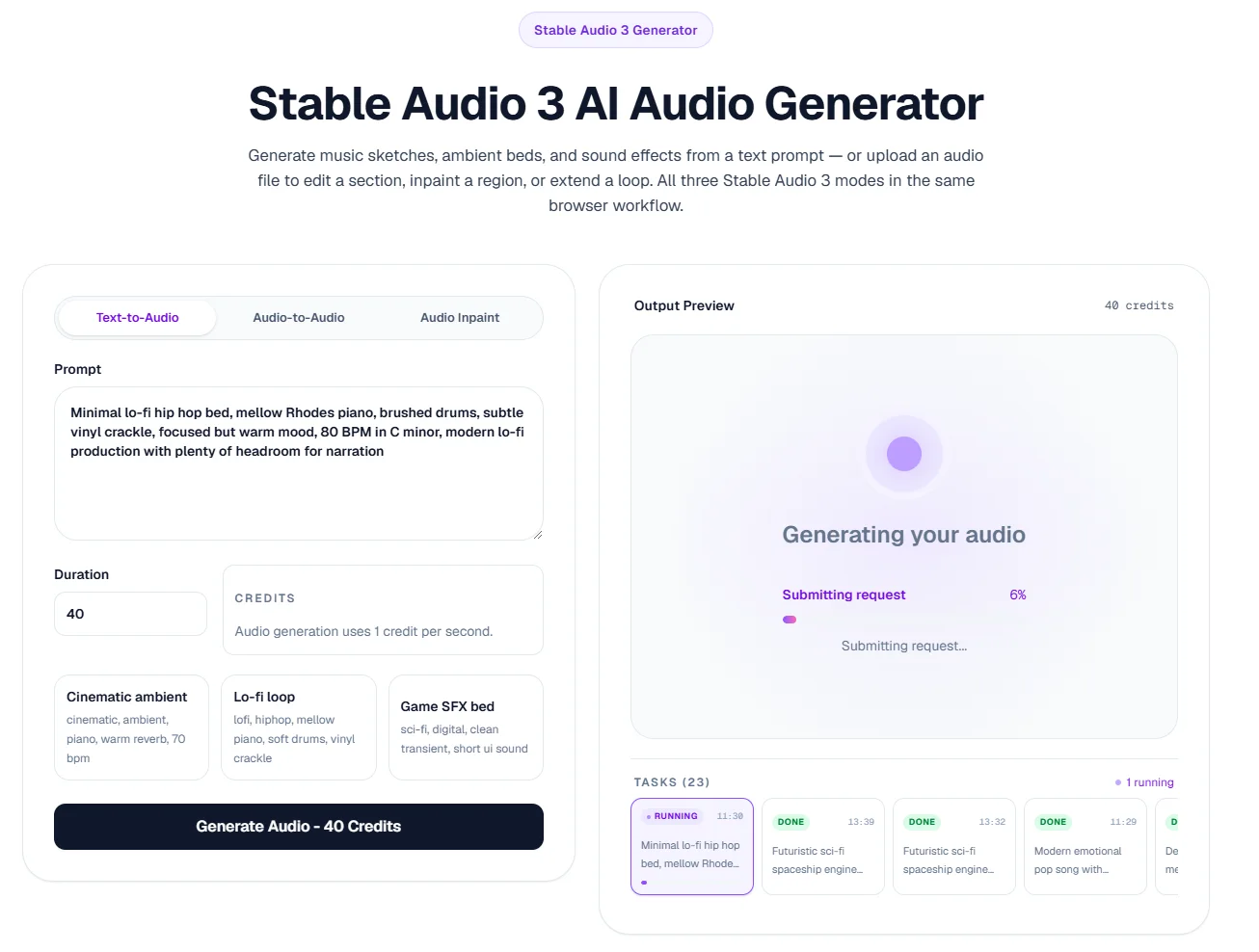
Stable Audio 3 supports three distinct generation modes, all in the same model.
Text-to-Audio (T2A)
The classic case. You write a prompt and the model generates audio that matches it. Best for sketching ideas from scratch, prototyping background music, and generating sound effects on demand.
Audio-to-Audio (A2A)
You upload an existing clip and a transformation prompt. The model reshapes the audio while preserving timing and structure — converting a piano sketch into a synth arrangement, shifting a rock loop into lo-fi, or pushing a clean recording toward a vintage feel. This is where Stable Audio 3 starts to feel less like a generator and more like a production tool.
Inpainting and Continuation
You select a region of an existing clip and the model regenerates just that section, with the rest preserved. Useful for fixing a wrong note, swapping a bar of percussion, or extending a track beyond its original endpoint. Stability AI's research paper outlines single-segment editing, multi-segment editing, and causal continuation.
Together, these three modes push the workflow closer to traditional audio production. Generation is the start of the process, not the end.
The Licensed Data Question
Generative audio sits in the middle of an active legal debate, and several closed AI music platforms face copyright litigation tied to their training data. Stability AI's response with Stable Audio 3 was unusually transparent: the model is trained on 1,278,902 audio recordings — 806,284 licensed from AudioSparx and 472,618 from Freesound under CC-0, CC-BY, or CCSampling+ terms. The Freesound portion was filtered to remove music-tagged recordings, then verified by a trusted content-detection company to confirm the absence of copyrighted material.
For creators, the practical implication is simple: under the Stability AI Community License, you own your outputs and can distribute and commercialize them freely. For organizations above $1M in revenue, the Enterprise license adds legal indemnification — Stability AI takes on the legal risk if a downstream copyright issue surfaces.
This is the kind of clarity that closed AI music tools often avoid, and it is one of the strongest commercial arguments for choosing Stable Audio 3 in production work.
How It Compares to Closed Alternatives
Stable Audio 3 occupies a different position than Suno or Udio, and the comparison isn't symmetric.
Suno and Udio are optimized for complete songs with vocals. Type a prompt, get back a polished pop track with a singer, hooks, and a chorus — output that often sounds like a commercial demo. If you need a finished song with lyrics, neither has a real competitor in 2026.
Stable Audio 3 is optimized for instrumental music, ambient beds, and sound design. It does not generate vocals. What it does instead is produce smoother ambience, stronger spatial depth, richer atmospheric layering, and cinematic textures — the kind of audio that sits under a video, fills a meditation app, or scores a game level. It also gives you the underlying weights, which Suno and Udio do not.
The choice between them is really a choice about what you produce. Songwriters chasing viral hooks lean toward Suno; game developers, filmmakers, podcasters, focus-music channels, and developers building audio products lean toward Stable Audio 3. A more direct comparison is in our Stable Audio 3 vs Suno breakdown and the Stable Audio 3 vs ACE-Step comparison for the open-weight side.
Who Should Use Stable Audio 3
The open-weight release and tiered model family make Stable Audio 3 useful across a wider range of users than most AI music tools:
- Content creators — generating royalty-safe background music for YouTube, TikTok, and podcasts, with commercial rights handled under the Community License.
- Game developers — producing ambient beds, UI sounds, and combat audio at scale without paying per-generation API fees.
- Filmmakers and motion designers — sketching score ideas, ambience, and cinematic transitions before commissioning final audio.
- Podcasters — creating branded intros, outros, and transition stings from a single reusable prompt template.
- Developers and researchers — building audio products on the open weights, fine-tuning with LoRA for specific styles, or integrating it into broader generative pipelines.
- Studios with compliance requirements — that need transparent training data, clear licensing, and the ability to audit the model.
Getting Started
The fastest way to try Stable Audio 3 without installing anything is the stableaudio3.com browser workspace. New accounts get 100 free credits — enough to generate roughly 100 seconds of audio across Text-to-Audio, Audio-to-Audio, and Inpaint modes. No GPU, no model setup, no command line.
If you want to run the model locally, the weights for Small, Small SFX, and Medium are on Hugging Face, and the inference and training code is in the Stability-AI/stable-audio-3 GitHub repository. The Medium model needs a CUDA GPU with Flash Attention 2; the Small models run on CPU.
For practical prompting advice, see our Stable Audio 3 prompt guide, which walks through the genre + instrument + mood + tempo + key formula that produces clean, intentional outputs across all three modes.
The Larger Picture
Stable Audio 3 is not the most polished AI music tool on the market — Suno and Udio still produce more immediately satisfying full songs with vocals. But polish is not the same thing as foundation. What Stability AI shipped is a piece of audio infrastructure: open weights, transparent training data, an architecture designed for both inference and fine-tuning, and a model family that scales from a phone to a GPU server.
The most interesting work in AI audio over the next twelve months will likely come from people building on top of Stable Audio 3 rather than competing with the closed platforms head-on. That was the pattern with Stable Diffusion in images; the audio space looks set to follow it.
FAQ
Stable Audio 3 Explained FAQ
Is Stable Audio 3 free to use?▼
The Small, Small SFX, and Medium model weights are free to download and use under the Stability AI Community License, including for commercial purposes (organizations above $1M in revenue need an Enterprise license). The hosted workspace at stableaudio3.com gives new users 100 free credits before any payment is required.
Can Stable Audio 3 generate vocals or singing?▼
No. Stable Audio 3 is positioned around music, ambient beds, and sound effects. Vocal generation and singing voice synthesis are different model classes — use Suno, Udio, or a dedicated voice tool for those use cases.
What hardware do I need to run Stable Audio 3 locally?▼
The Small and Small SFX models run on CPU only — any modern laptop, or even a phone, works. The Medium model needs a CUDA GPU with Flash Attention 2 support. The Large model is API-only.
How long can Stable Audio 3 outputs be?▼
The Small model generates up to about 2 minutes. The Medium and Large models generate up to roughly 6:20. Variable-length generation means you can specify any duration in between at per-second granularity.
Can I commercialize music generated with Stable Audio 3?▼
Yes — under the Community License (for individuals and organizations under $1M in revenue) or the Enterprise License (above that threshold, with added legal indemnification). All Stable Audio 3 models are trained on fully licensed data, which reduces the legal risk that exists with some closed AI music platforms.
Is Stable Audio 3 better than Suno?▼
They are optimized for different things. Suno produces polished full songs with vocals; Stable Audio 3 produces instrumental music, ambient beds, and sound design with open weights and clear commercial licensing. For a detailed breakdown, see our Stable Audio 3 vs Suno comparison.
Next Steps
Keep Exploring Stable Audio 3
Use the generator, review examples, compare pricing, and save the strongest direction so the next test starts from what worked.
Open Stable Audio 3 with free signup credits and test all three modes in the browser.
Creator workflowsSix end-to-end workflows for YouTube, podcasts, games, film, focus music, and social.
Read the full reviewReal-world prompt tests, strengths, and limits across music, ambient, and SFX.
Read the prompt guideThe genre + instrument + mood + tempo + key formula, with copyable examples.
vs Suno AIHow Stable Audio 3's open-weight sound design compares with Suno's vocal songwriting.
Compare pricingSee credit packs, signup credits, and the cost per audio clip.